Designing a native suite of AI tools that cut clinical documentation time so practitioners could spend less time on paperwork and more time with their patients.
Lead Product Designer
Halaxy
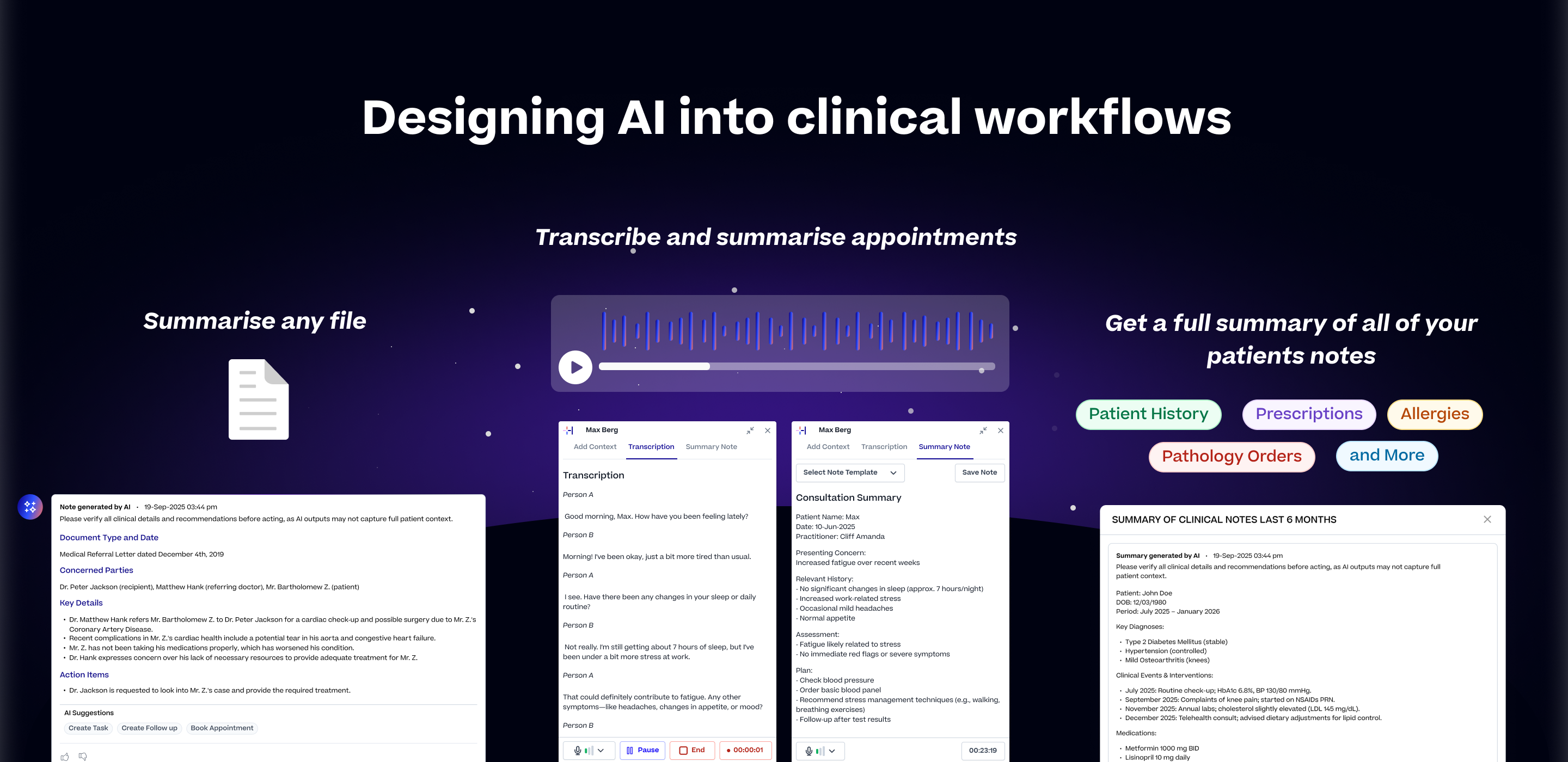
Halaxy is a global clinical practice management platform used by 40,000+ practitioners across 98 professions in 79 countries. This work sits at the heart of what Halaxy is trying to do, to make healthcare administration simpler so practitioners can spend more time with patients and less time on paperwork.
As AI started changing what clinical software could do, there was a real opportunity to build something most competitors hadn't tried, a native, compliant AI assistant built directly into the clinical workflow rather than added on from outside.
I was one of two designers on the team, reporting directly to the CEO and co-founder. I owned the AI features from initial scoping through to QA and release.
Practitioners were spending a significant part of their day on documentation rather than patient care
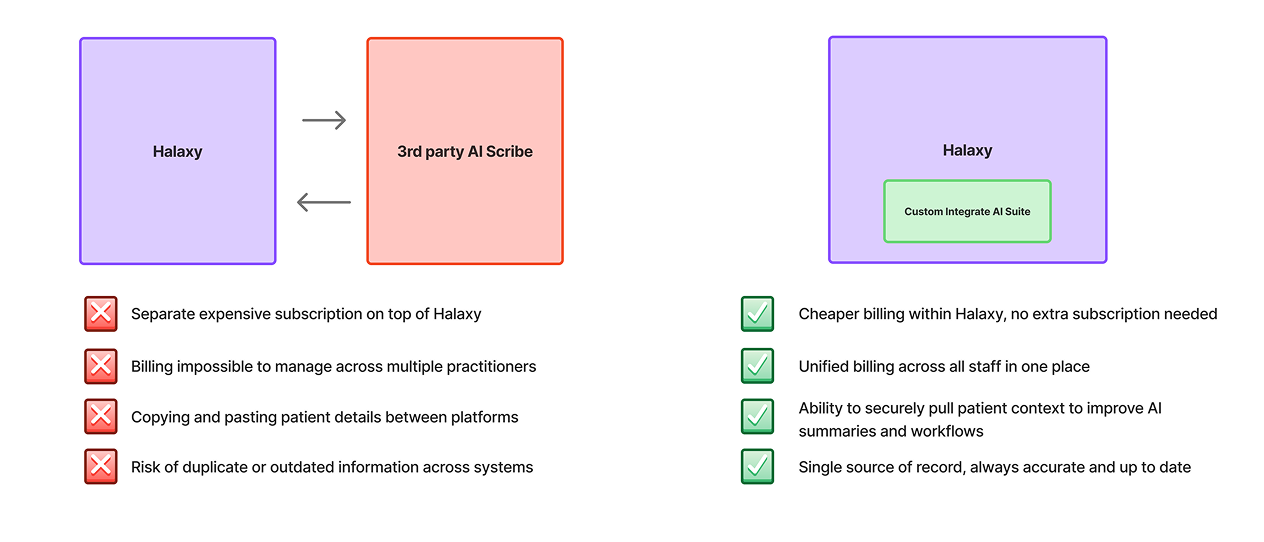
Disjointed workflow (third-party tool, copy-paste, manual entry) vs Halaxy's native workflow
Rather than one large feature, we built three focused tools that together covered the full documentation picture. The same principle ran through all three. Keep the practitioner in control, make every output editable before it touches the record, and never store sensitive data longer than necessary.
A thread running through all three tools was template flexibility. We built a library of templates covering common clinical workflows and professions, SOAP, BIRP, DAP, ADHD assessments, GP consultations, and more.
Practitioners could use these out of the box, edit them to match their preferences, or build entirely new ones from scratch using plain language instructions and placeholders. The AI adapted to how each practitioner worked, not the other way around.
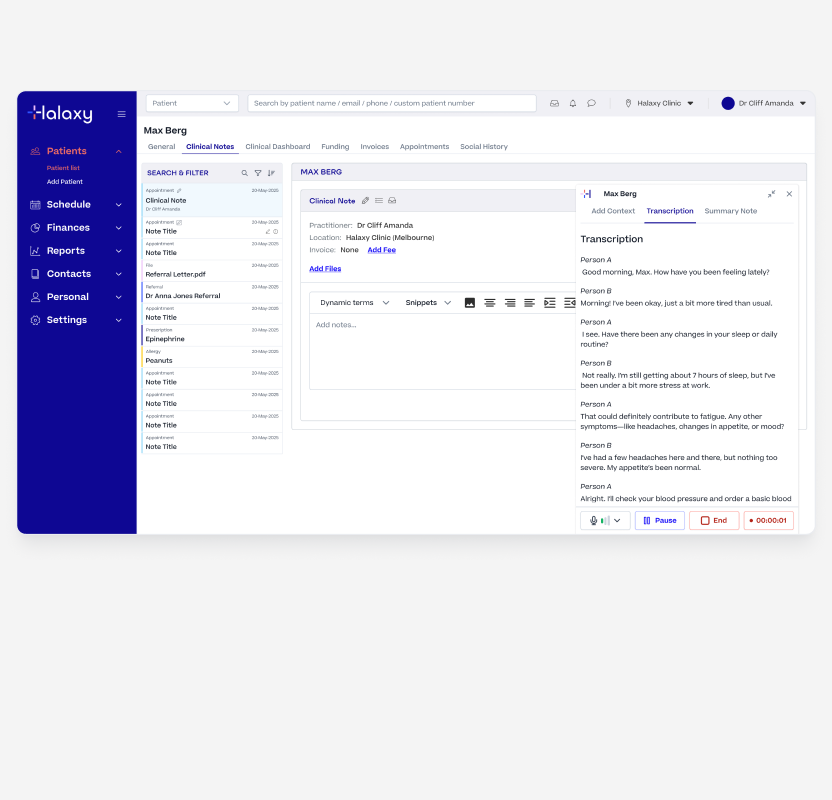
Halaxys Scribe and AI Summary
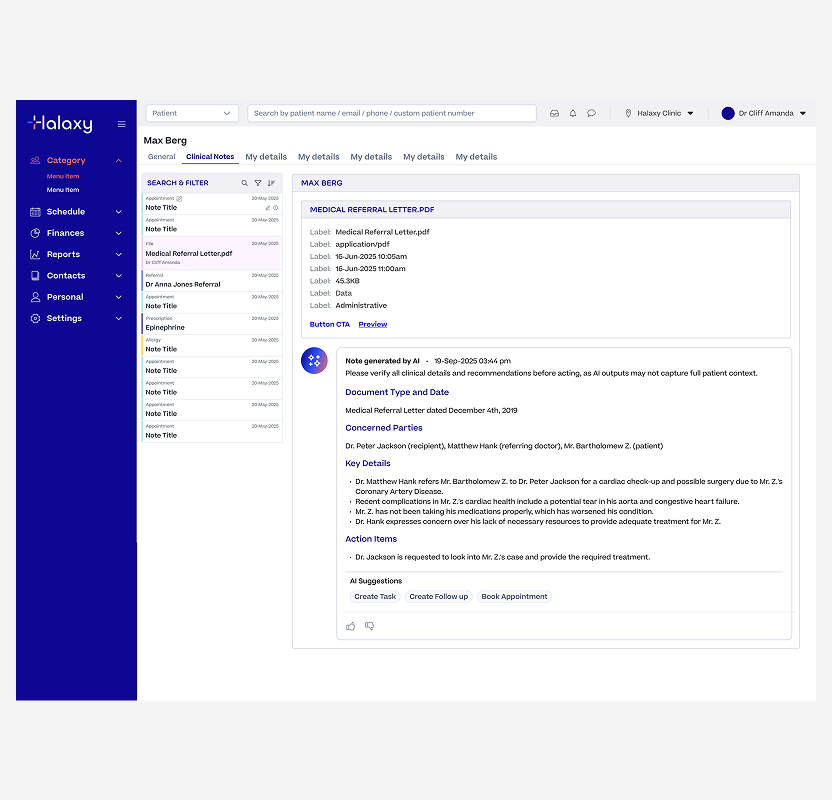
Halaxy's AI File Summary
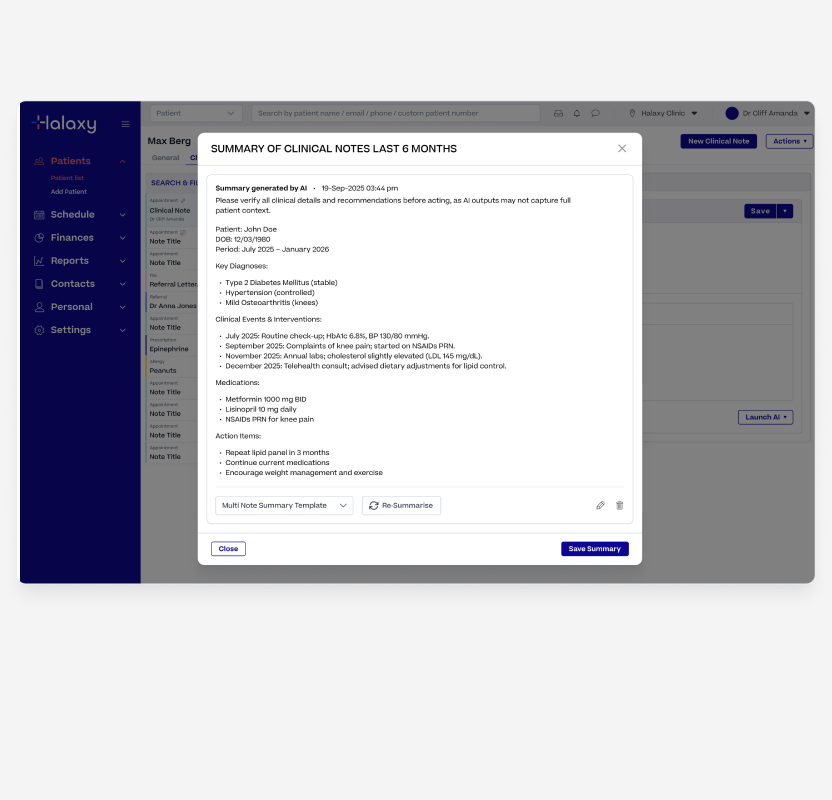
Halaxy's Patient Mulit Not Summary
Before rolling out to all users we ran a closed beta with a selected group of clinical practices. The goal was to understand how practitioners actually used the features in a real setting, what issues they ran into, and what was missing.
What we learnt;
We didn't start with the most powerful model. We started with the right one for the job, and upgraded as the requirements grew.
Built File Summary first, the most contained problem. Used strict JSON structures for predictable, reliable outputs.
Strict JSON couldn't handle custom templates. Loosening the prompt structure introduced inconsistency and unreliable outputs.
Upgraded to Claude Haiku for better instruction-following and context handling. Combined with refined prompts, output quality went from 40% to 95% in testing.
Designing for healthcare meant holding ourselves to a higher standard. These weren't constraints we worked around, they were principles we designed in from the start because the people using this product are making clinical decisions.
The centrepiece of the suite. It needed to work reliably in a real clinical environment, noisy rooms, long consultations, multiple speakers, and all kinds of devices.
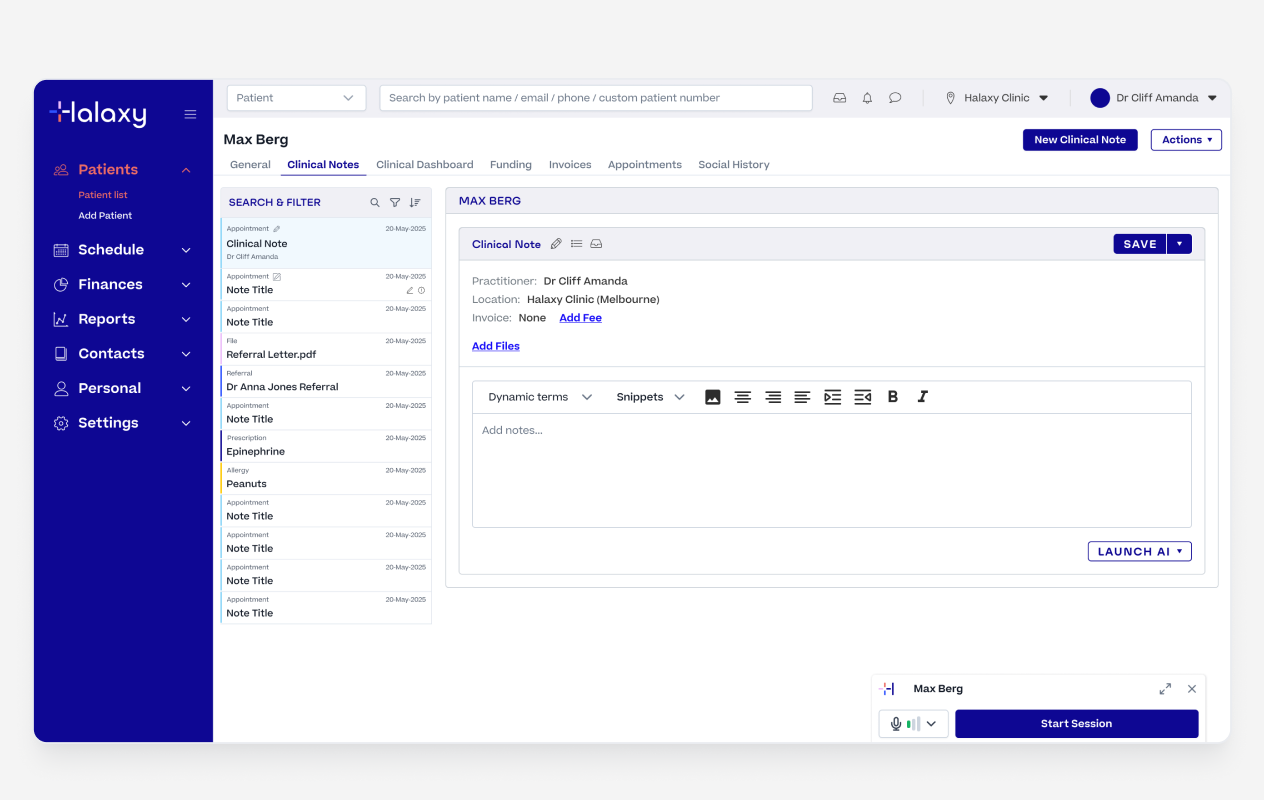
Multi Note Summary Action
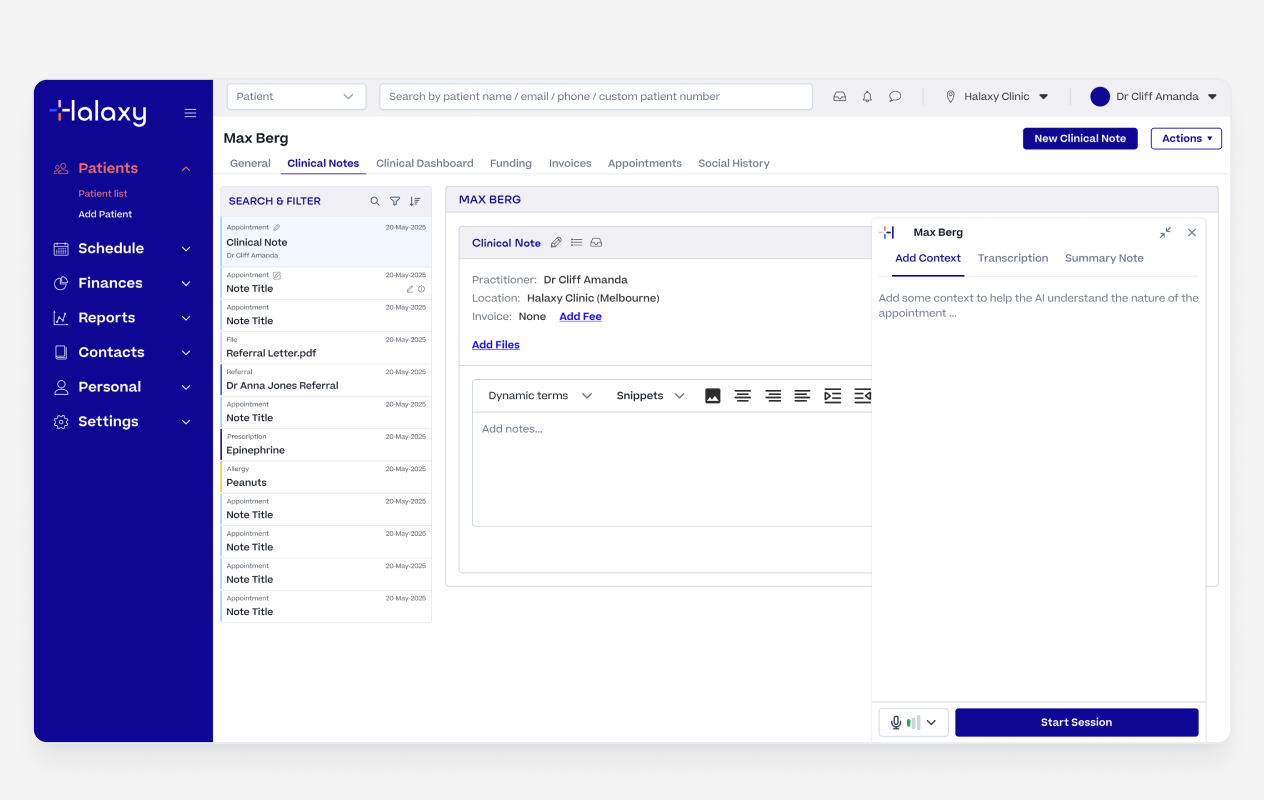
Multi Note Summary Configuration
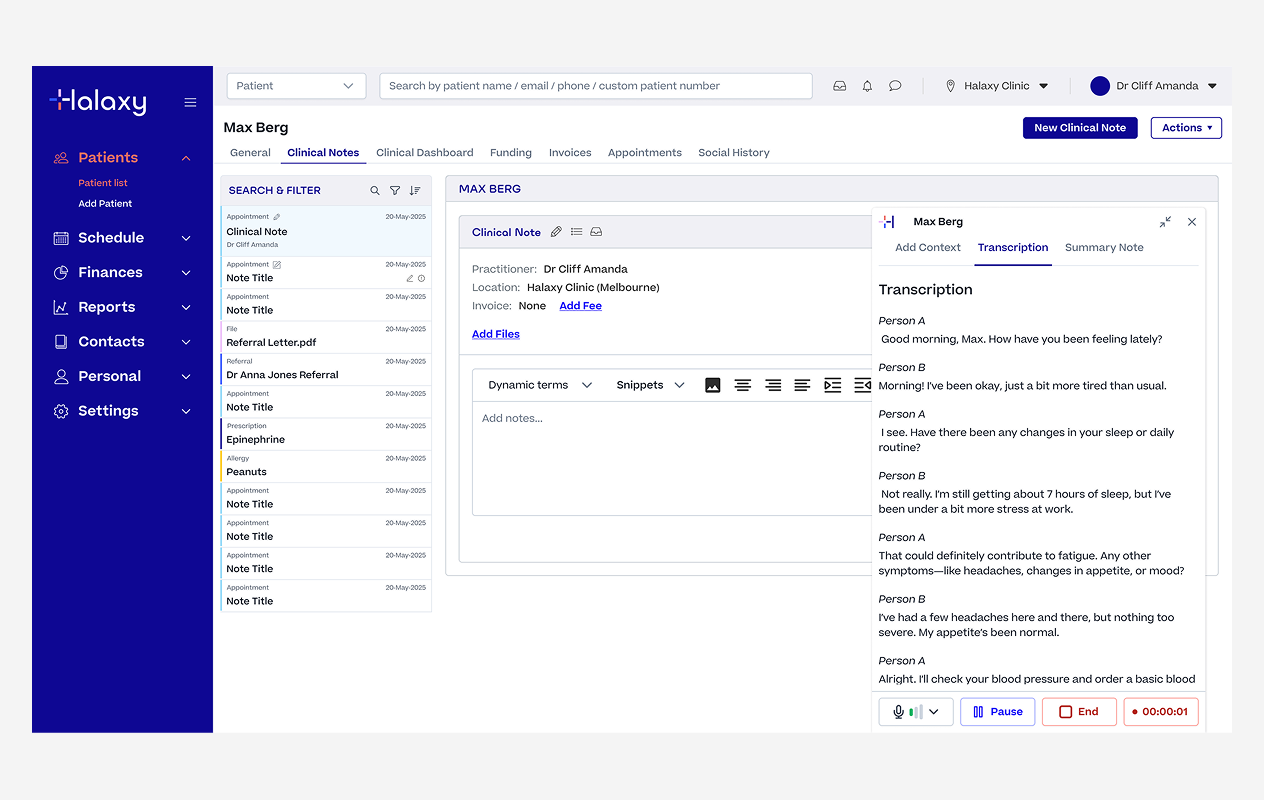
Multi Note Summary Output
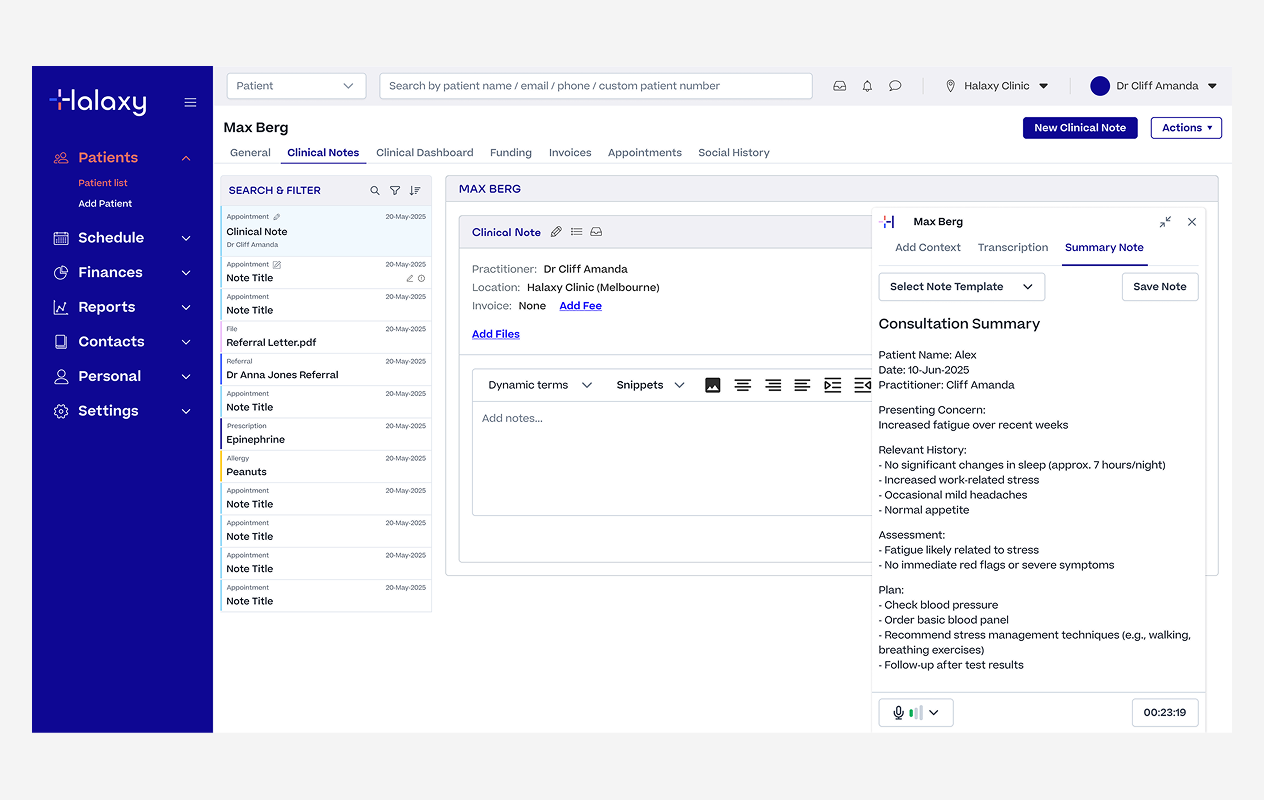
Multi Note Summary Saved as a Note
Practitioners could follow along in real time rather than discovering transcription problems at the end of a 45-minute consultation. Speaker identification kept the transcript readable, clearly separating practitioner and patient throughout.
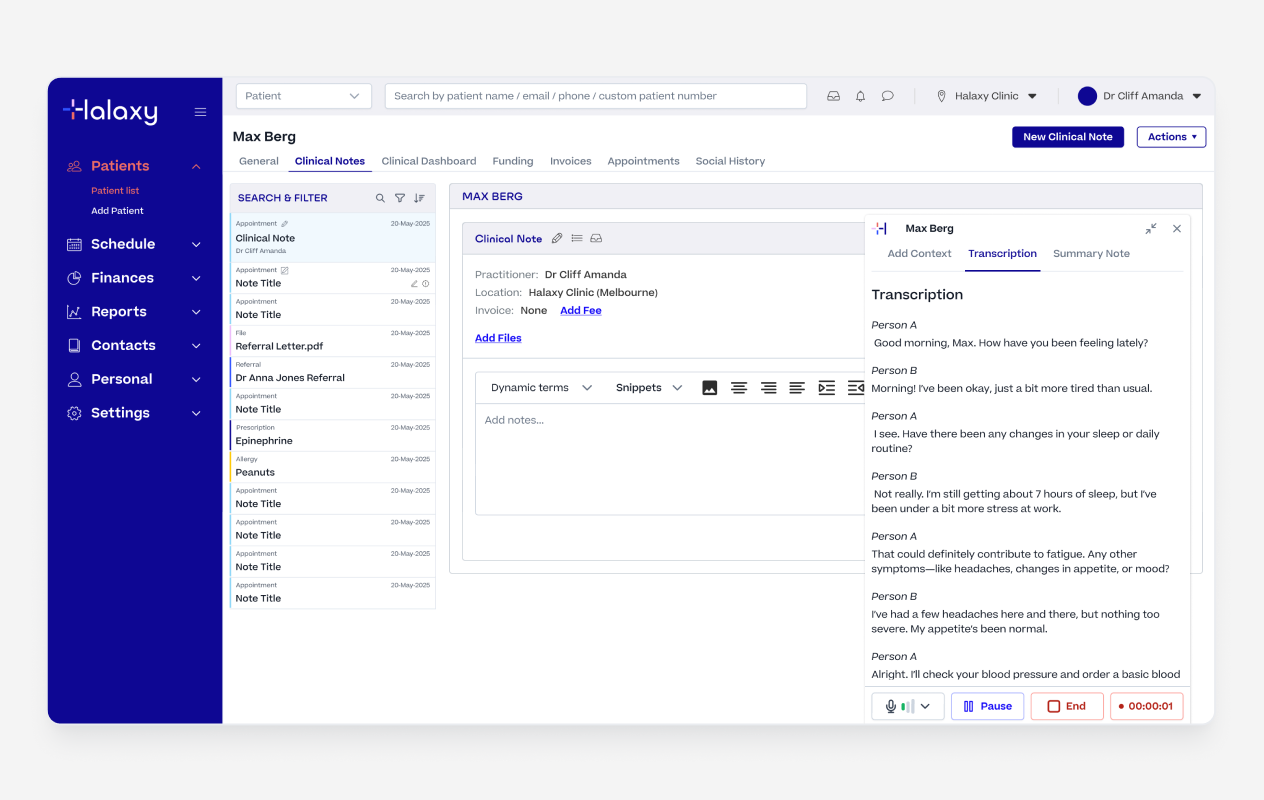
Live Transcription & Speaker Identification
Once the recording was complete, practitioners selected a template and generated a structured summary from the transcription.
The AI used the template instructions to shape the raw transcription into a properly formatted clinical note ready to review. They could use one of our industry standard templates or edit a template to fit their own needs and workflows.
Once happy with the summary, practitioners injected it directly into the clinical note with a single action. It landed in an editable field, nothing was written to the record until they had reviewed, edited if needed, and then they could publish the note.
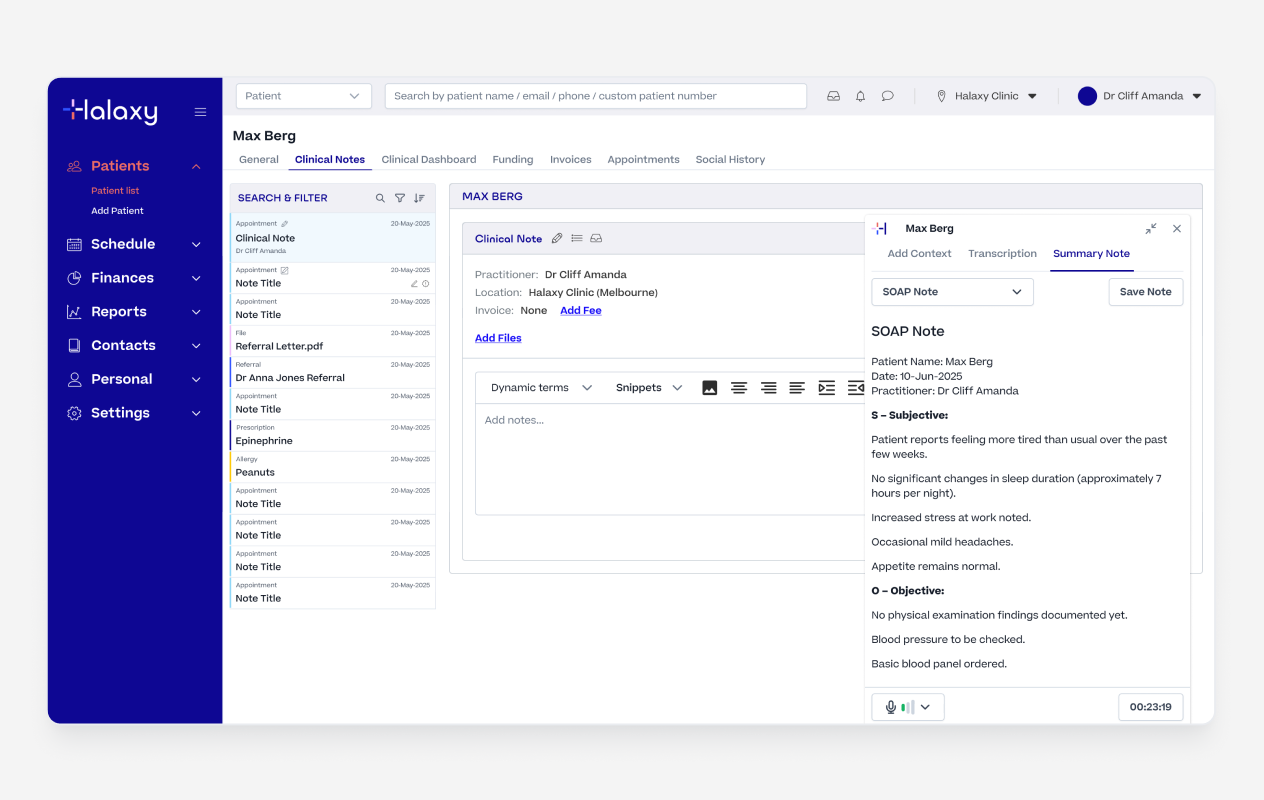
AI SOAP Summary Generated
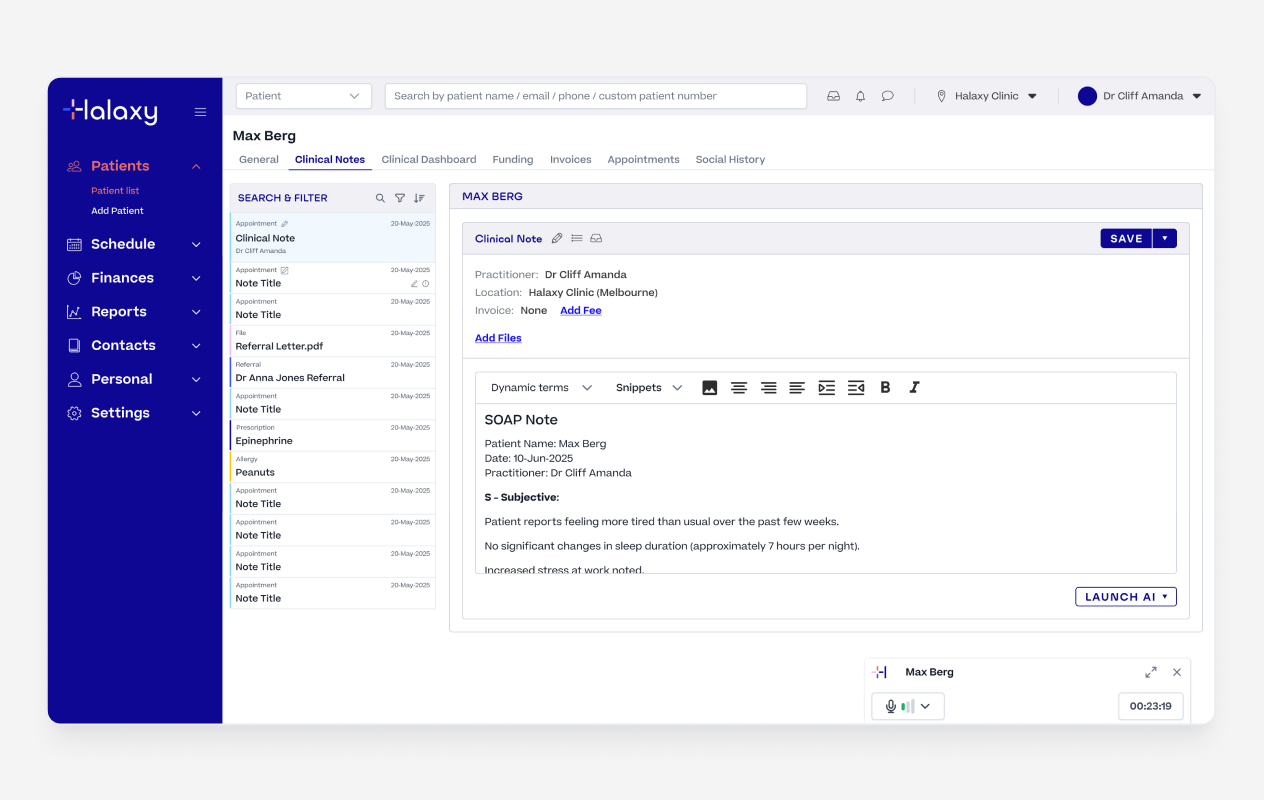
Injecting the summary to the Note
We knew a single generic output format would never work across 98 professions. A physiotherapist writes notes differently to a GP. A psychologist using BIRP has different needs to a paediatrician using a custom intake format.
So we built industry standard templates, which pracitiotner could either edit to fit there need or come up with a fully custom template based on their unique needs.
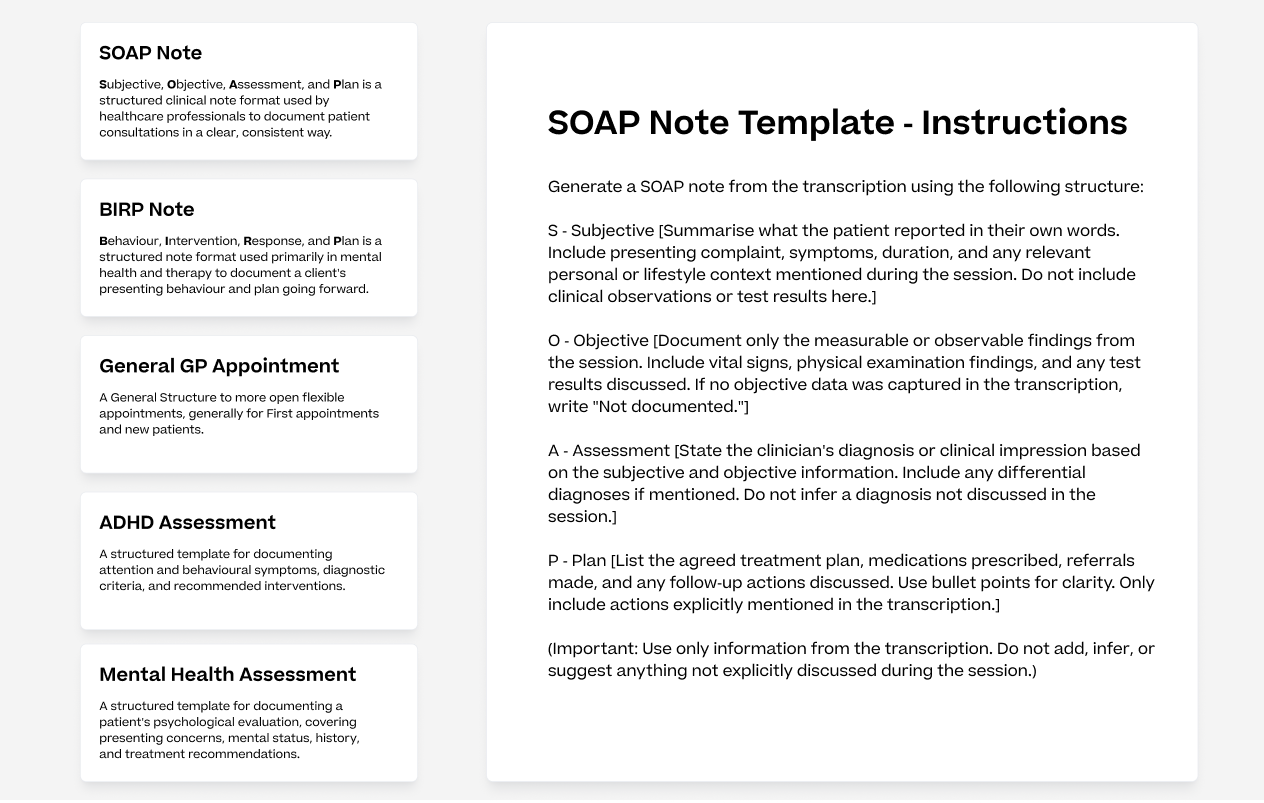
Example of AI Summary Templates
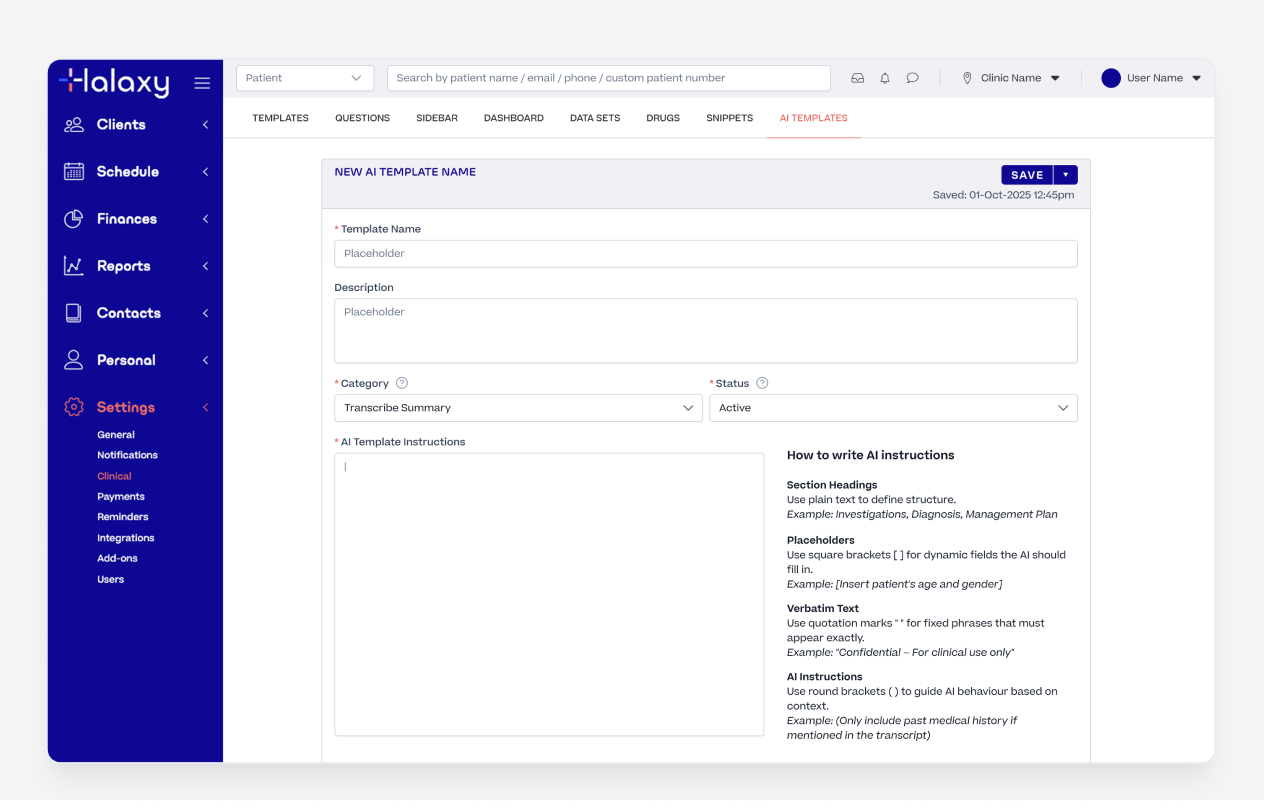
Custom AI Template Builder
Summarising documents sounds simple until you're dealing with 6+ page PDFs, dense referral letters, and pathology reports with complex formatting.
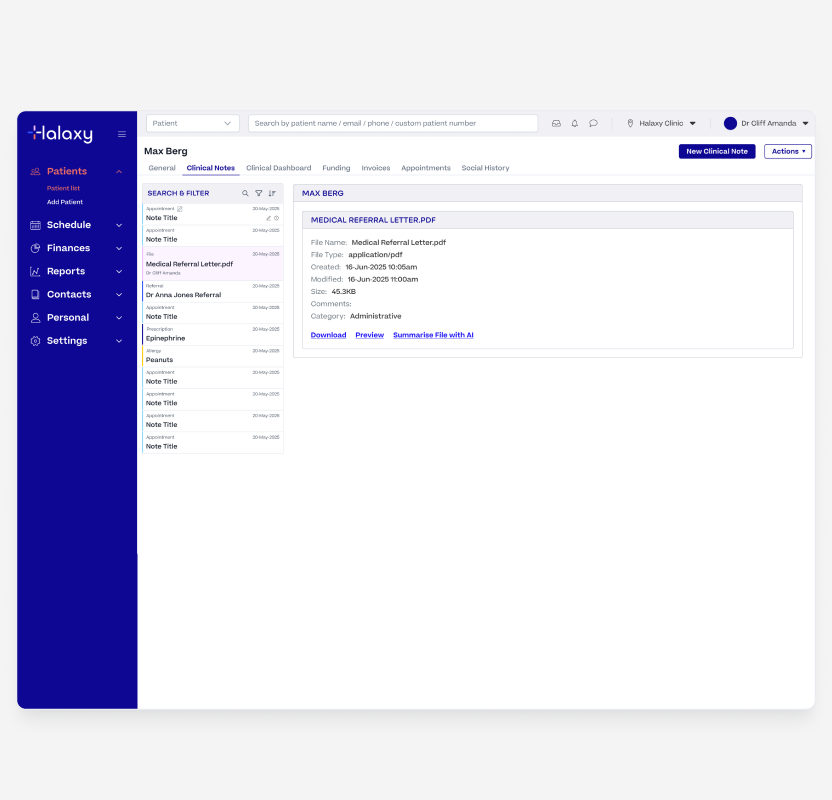
File on Patient Record
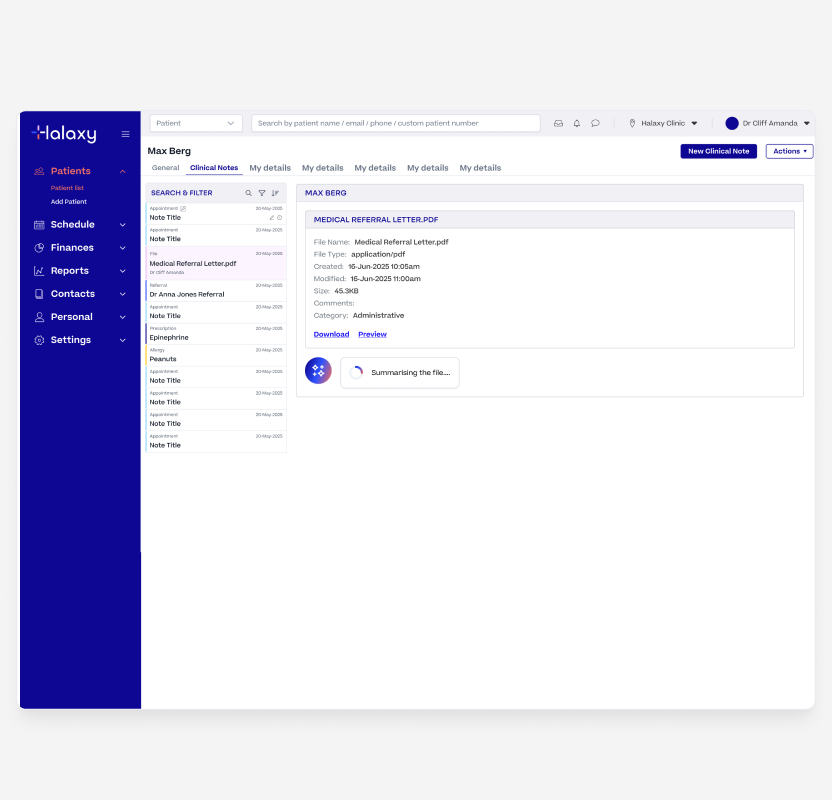
File Being Summarised
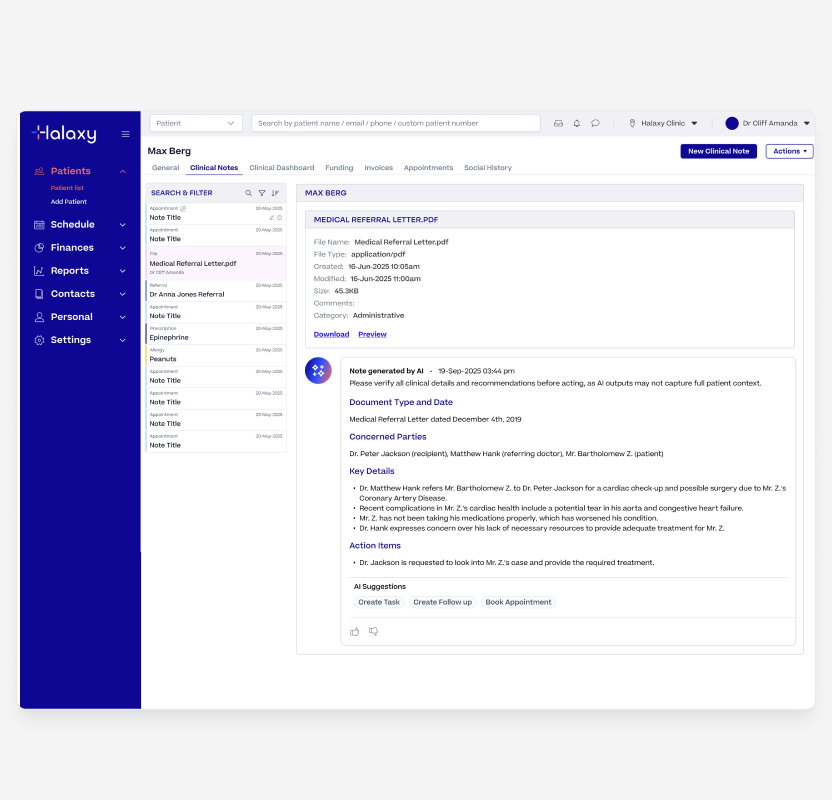
AI File Summary Generated
Rather than asking one model to do everything, we used two models working in sequence. This kept each model focused on a single task and helped manage context limits and improve reliability.
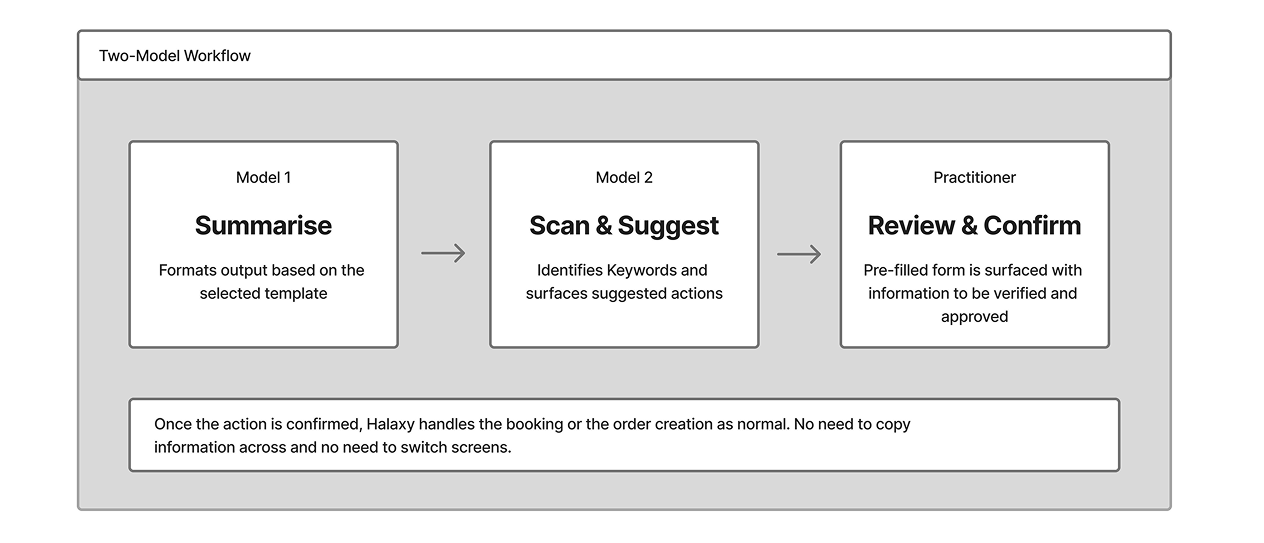
While the backend handles a two-model handoff, the UI is clear and focused. The practitioner only sees a single modal with a pre-filled form, keeping the task simple.
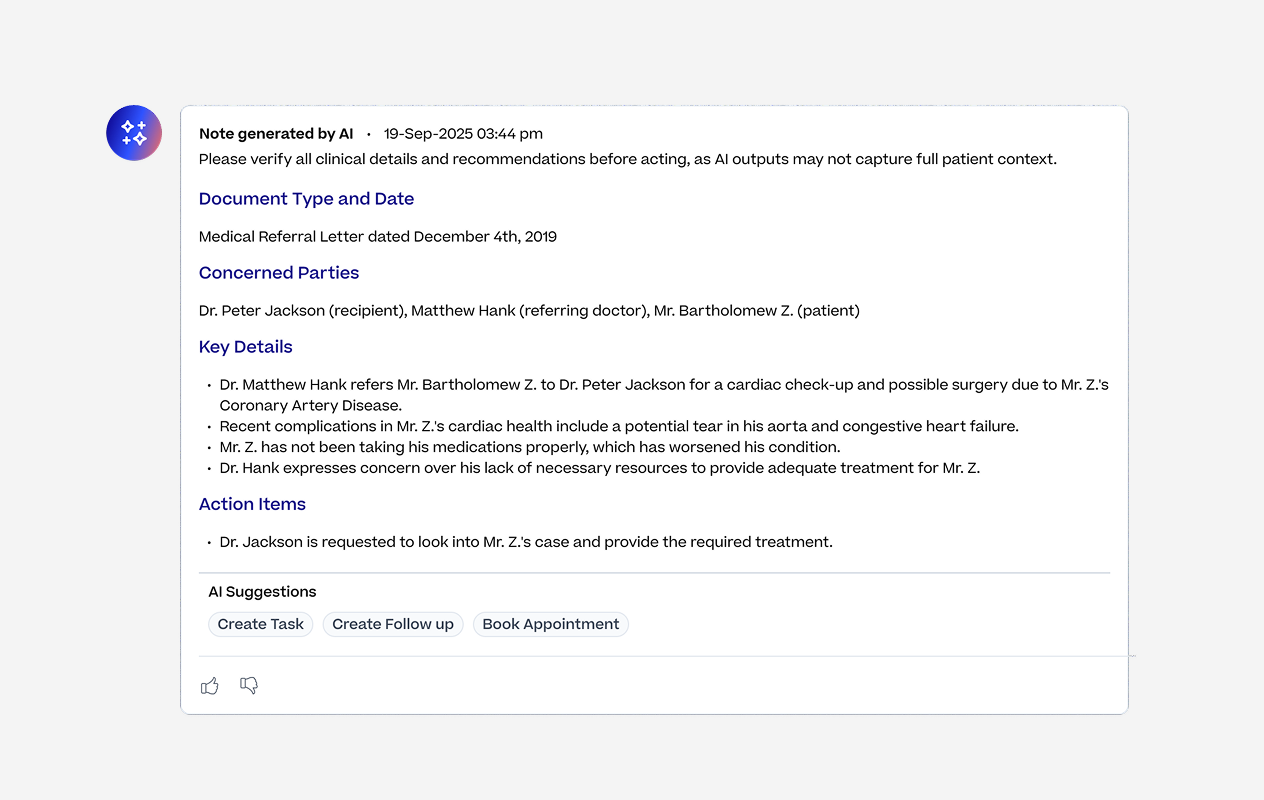
AI suggested actions based on the summary
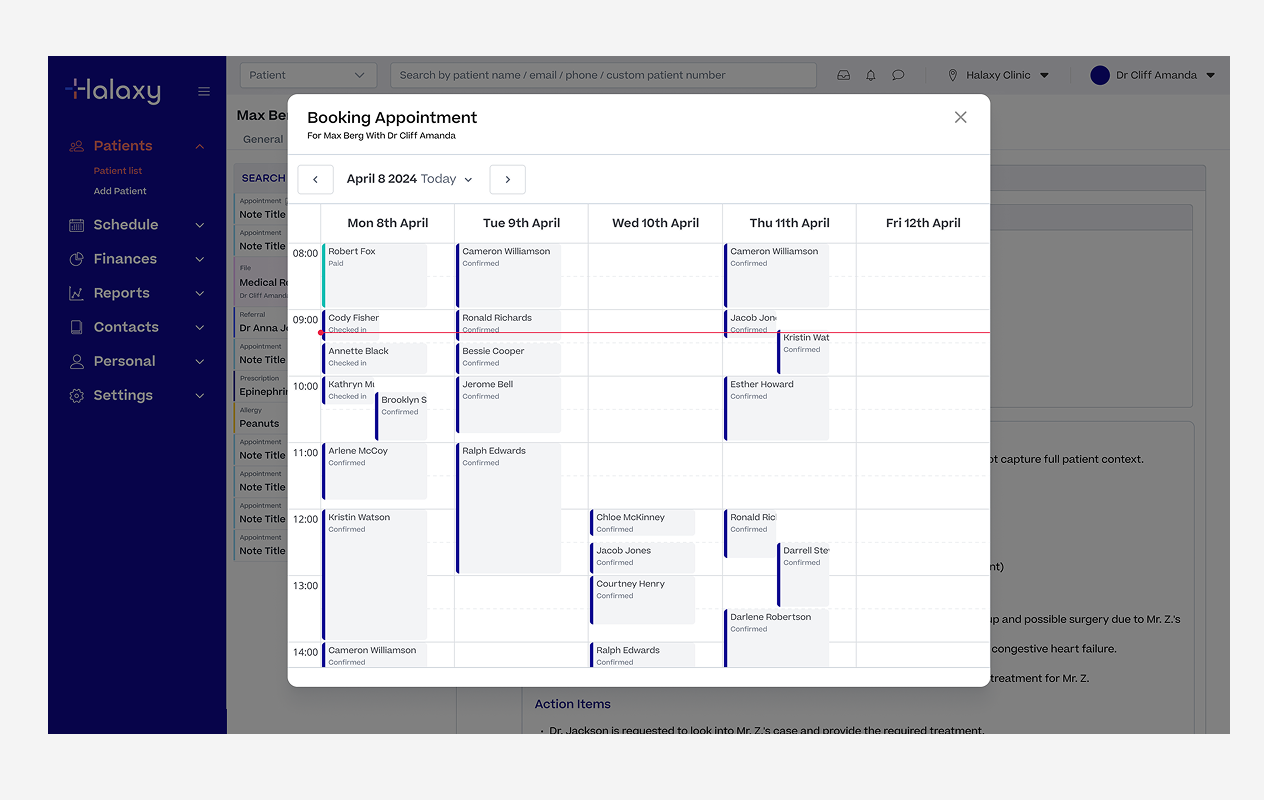
Booking agent creating a appointment booking
Multi-Note Summary gave practitioners a quick way to get across a patient's full history without reading back through every individual note.
Most useful during handovers, when picking up a long-term patient, or preparing for a complex consultation.
Practitioners could generate a summary across all note types or filter by specific types like prescriptions, pathology orders, or clinical observations for a more targeted view.
For patients with a long history the feature could potentially hit the AI's 200,000 token limit. Rather than letting it fail silently, we added date-range filters up to 24 months and a clear warning when a summary was too large, giving practitioners the option to narrow the range. The constraint became a design decision rather than a technical failure.
Like the other features, the output could be shaped using Halaxy's built-in templates or any custom template the practitioner had created themselves.
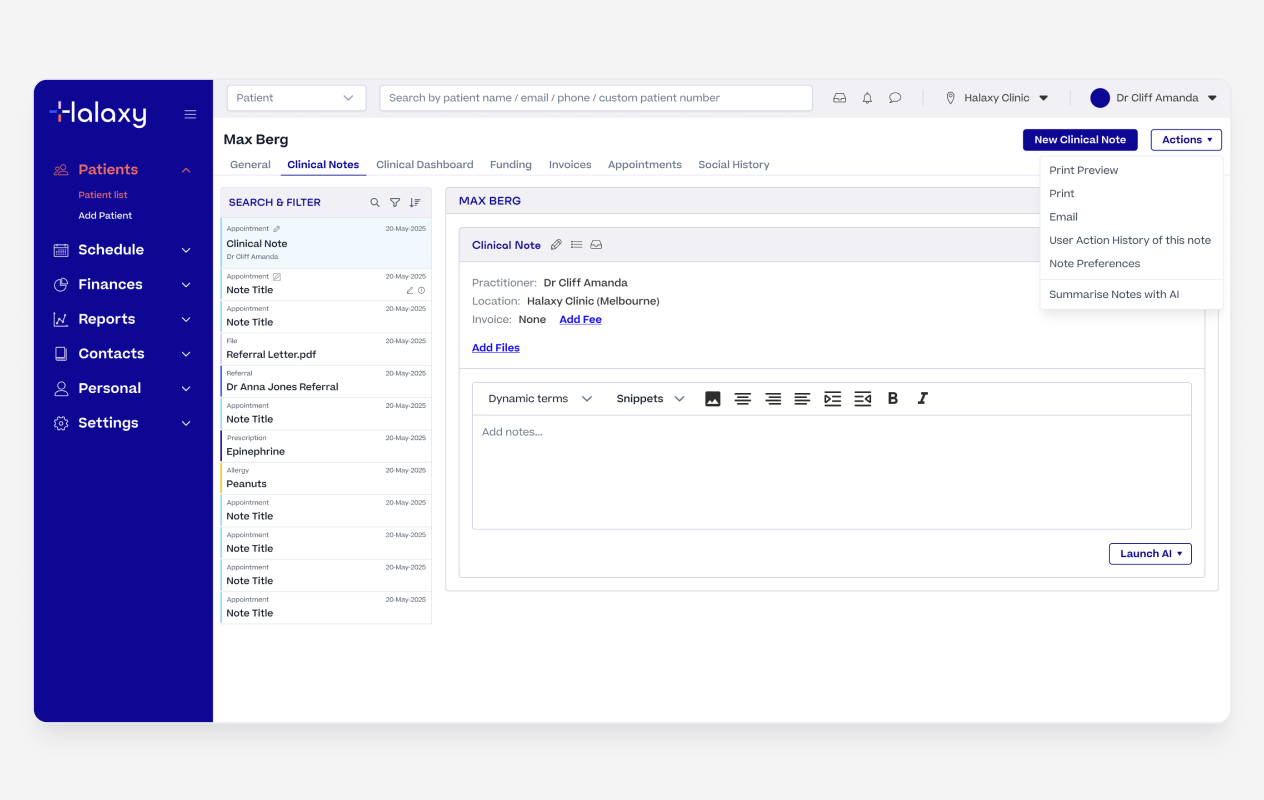
Multi Note Summary Action
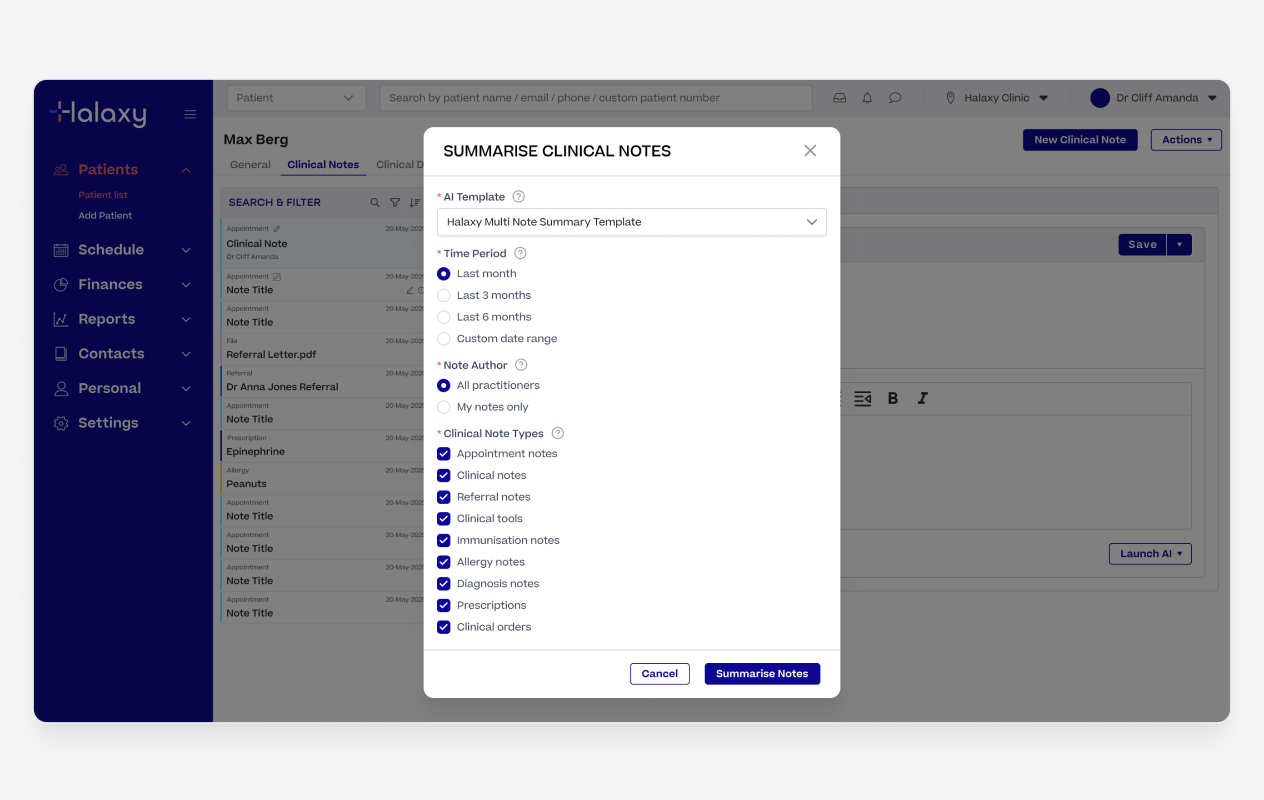
Multi Note Summary Configuration
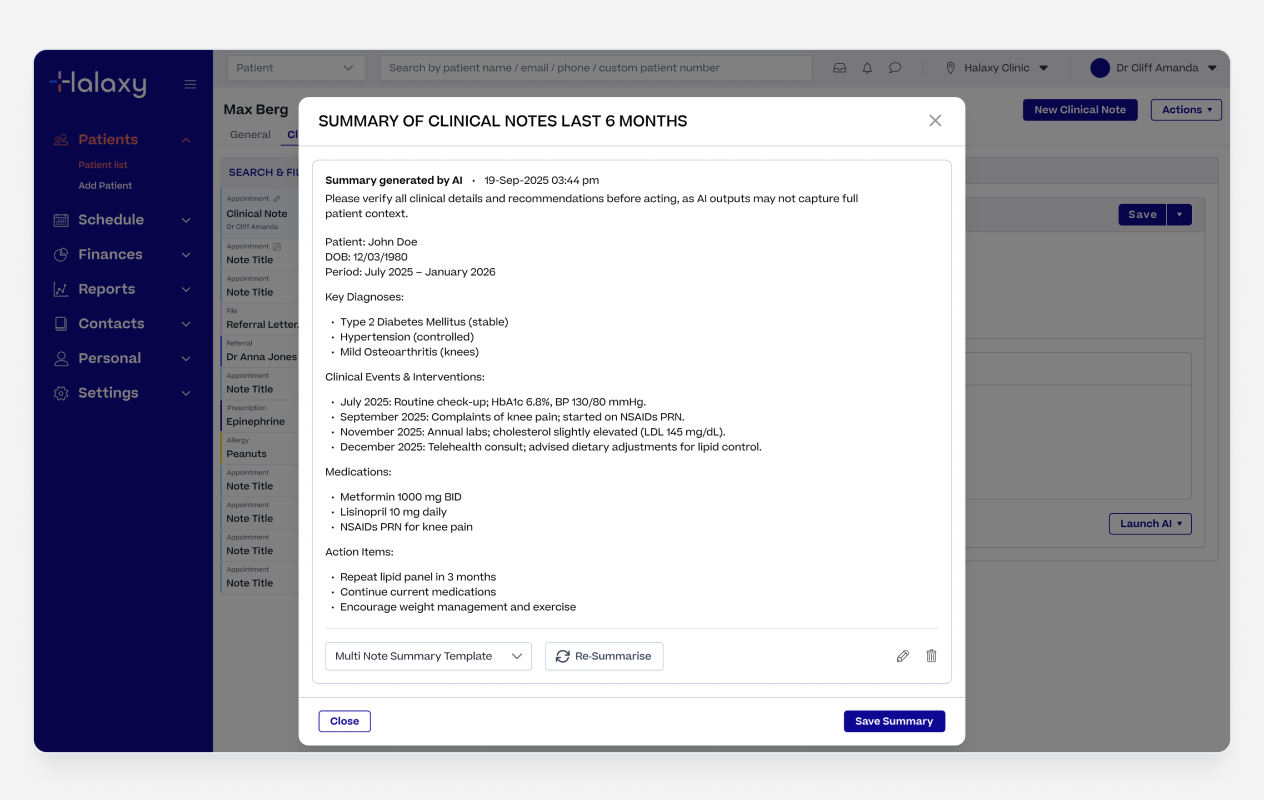
Multi Note Summary Output
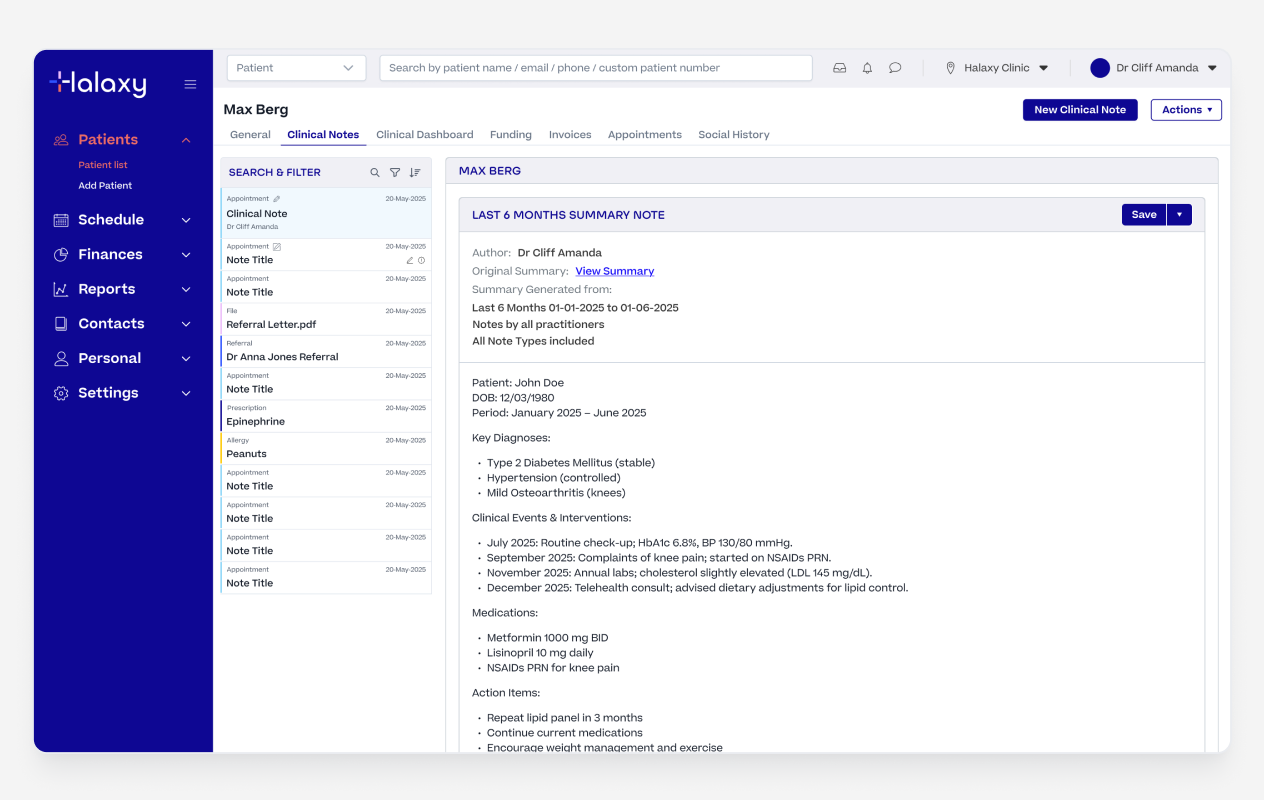
Multi Note Summary Saved as a Note
We started with a strict JSON structure to control the AI output. It worked well for a fixed, predictable result but that was also its problem. When we wanted practitioners to be able to choose different templates and build their own, the hard coded JSON structure didnt work.
We switched to natural language prompts, which meant practitioners could write templates in plain English and swap them across any of the AI features. A template built for the AI Scribe could be used in File Summary or Multi-Note Summary without any changes.
Amazon Nova Lite, which we had been using for its speed and low cost, struggled to follow the more flexible prompt instructions reliably. Upgrading to Claude Haiku and refining the system prompt fixed this, taking output quality from around 40% passing in testing to 95%.
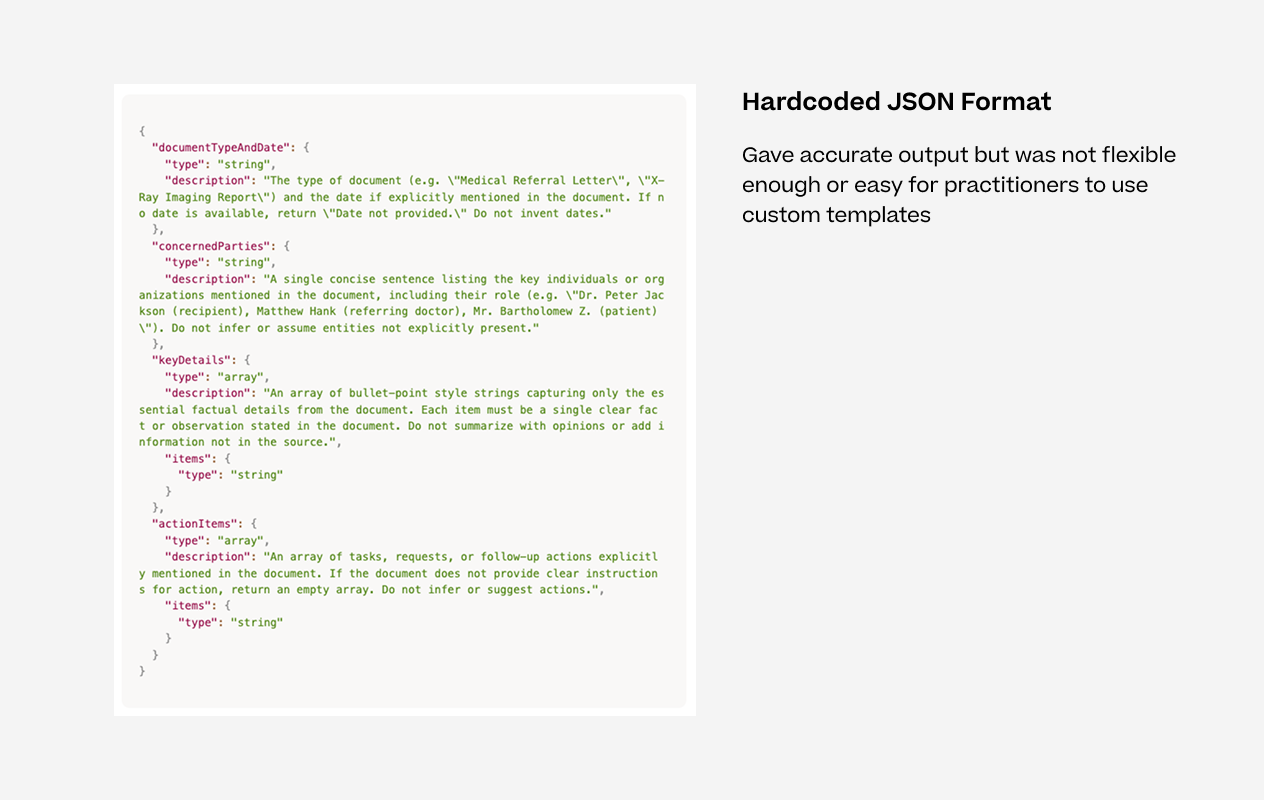
Hardcoded JSON Format
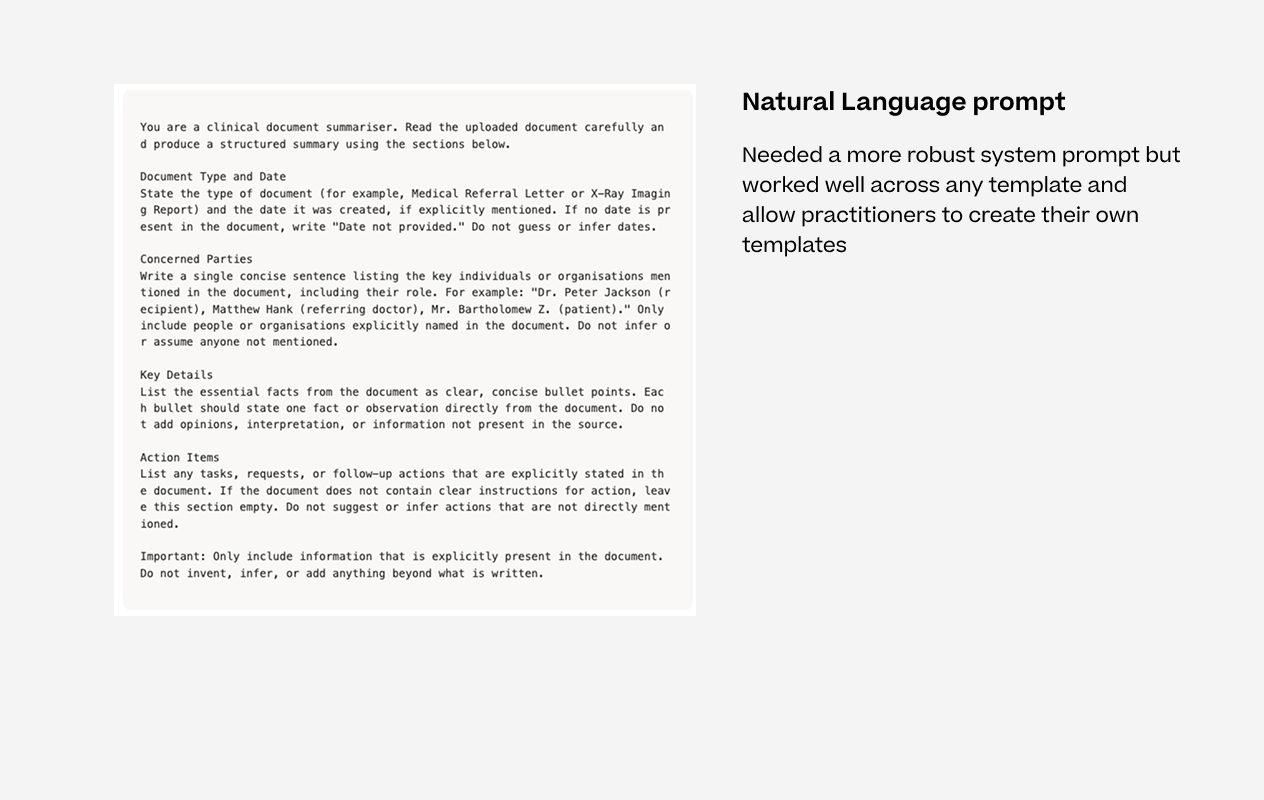
Natural Language Prompt
Errors were easy to catch but output quality was harder to measure. We added a thumbs up and thumbs down reaction to every AI output, with a modal to capture written feedback when something was off. This gave us a direct line to how the features were performing in real clinical use rather than relying on error logs alone.
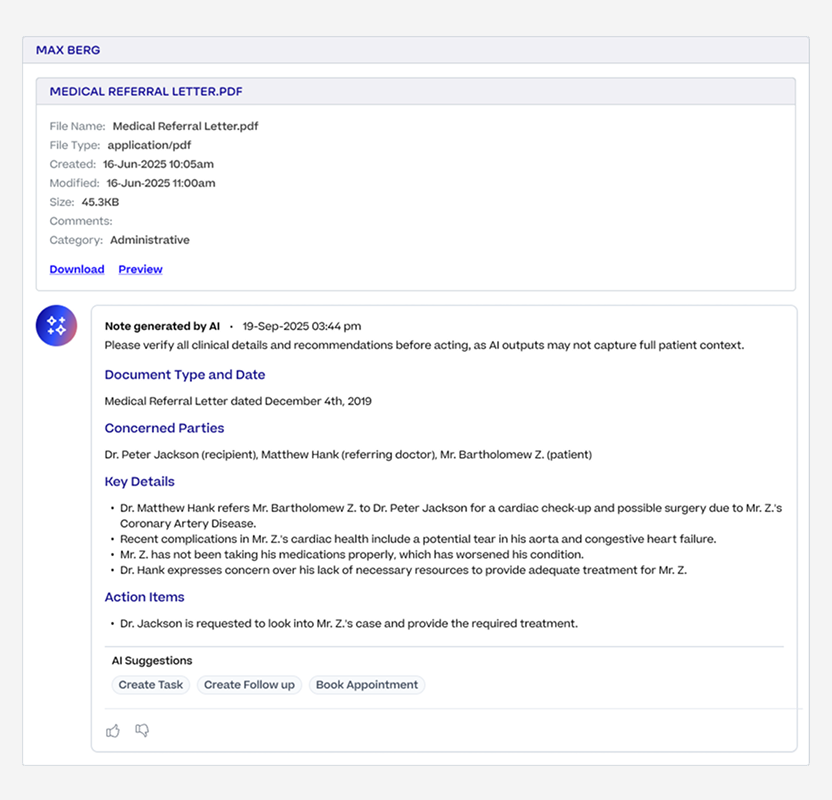
Thumbs up and down to collect feedback
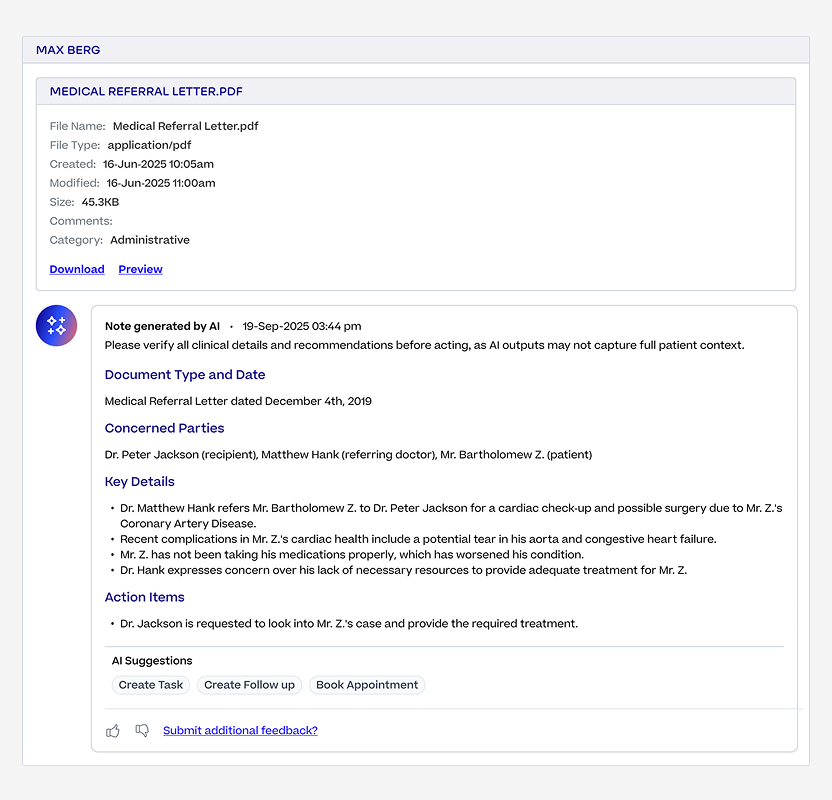
Option to add additional feedback
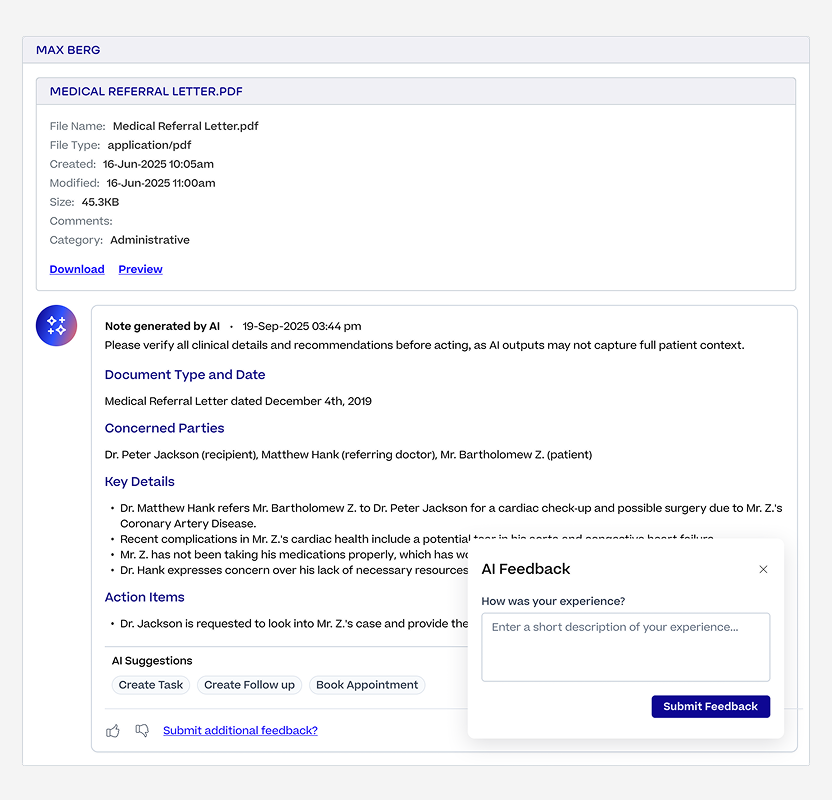
Modal to capture additional feedback
We built the AI Scribe on Amazon Transcribe because it let us prove out the feature quickly without worrying about infrastructure. Once the Scribe took off and usage grew faster than expected, the cost of running at scale became a real concern. We migrated to a self-hosted NVIDIA Parakeet model, which gave us more control over performance and cut transcription infrastructure costs by 87%.
Practitioner groups using AI features
Groups using AI Scribe
Transcripts in March alone
Documents summarised
Infrastructure cost reduction
Output quality in testing
The biggest lesson from this project was that designing AI features well is mostly about what happens around the AI output, not the output itself.
The review steps, the escape hatches, the feedback loops, the guardrails.
Practitioners needed to feel like they were always in control before they'd trust the system enough to use it every day. That thinking shaped every decision we made across the suite.
